How to Repurpose Content for Social Media: One Product, 8 Channels
Learn how to repurpose one product story into useful content for eight social platforms without copying the same post or losing brand consistency.
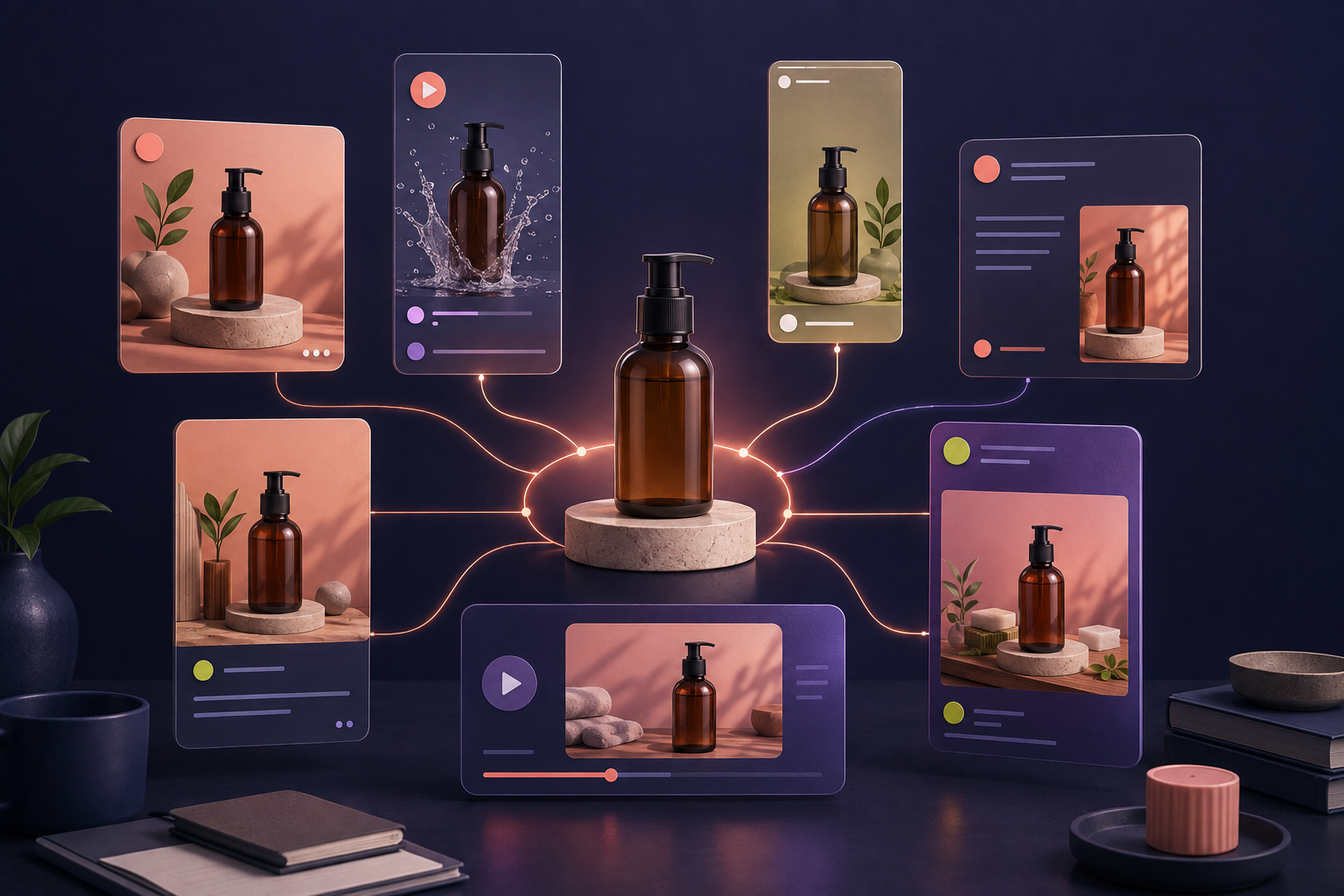
Learning how to repurpose content for social media is not the same as publishing the same post eight times. Effective repurposing keeps one accurate product story at the center, then changes the hook, format, depth, and call to action for each channel.
That distinction matters for ecommerce teams. A product launch, tutorial, customer question, or blog article may contain enough material for a full week of posts. The work becomes easier when you stop treating every empty calendar slot as a demand for a brand-new idea.
This guide shows how to turn one Shopify product into useful content for Facebook, Instagram, X, TikTok, Threads, Pinterest, YouTube, and LinkedIn—without making the campaign feel copied and pasted.
What does it mean to repurpose social media content?
Content repurposing is the practice of adapting an existing idea or asset into new formats for different audiences, channels, or stages of the buying journey. A detailed product tutorial might become a short video, a carousel, a question thread, a visual pin, and a behind-the-scenes post.
Cross-posting is narrower: it usually means distributing the same asset and copy to several destinations. Cross-posting can be useful for a time-sensitive announcement, but it rarely takes full advantage of how people use each platform.
Shopify's guide to repurposing content recommends adapting strong existing material to the format and audience of each platform. Its content marketing guidance also suggests coordinating channels in a calendar and batching content that can be prepared in advance.
Begin with one product story, not one finished post
A finished Instagram caption is a weak source for an eight-channel campaign because most of the useful context has already been compressed. Start with a product story brief instead. It should give every derivative post a reliable source of truth.
Collect these inputs before writing:
- Product facts: name, materials, dimensions, variants, compatibility, care, price, availability, and destination URL.
- Customer problem: the specific situation the product helps with.
- Primary benefit: the most relevant outcome, supported by the product facts.
- Proof: an approved review, demonstration, comparison, or process detail.
- Objections: recurring questions about size, setup, shipping, use, or value.
- Visual material: product photos, vertical clips, detail shots, diagrams, and permitted customer media.
- Campaign goal: awareness, consideration, conversion, retention, or conversation.
For example, “launch our travel bottle” is too thin. A useful brief might say the bottle is leak-resistant, fits a standard cup holder, has two available sizes, and is designed for commuting. Now the campaign has several truthful angles instead of one generic claim.
Build a modular content bank
Break the story into small modules before assigning platforms. A practical bank contains:
- Three hooks: problem-led, outcome-led, and curiosity-led
- Three verified benefits
- One short demonstration sequence
- One customer question and a direct answer
- One behind-the-scenes detail
- One piece of approved social proof
- Three calls to action: learn, compare, and buy
This turns repurposing into assembly rather than rewriting. Each post can select the modules that fit its job while remaining consistent with the same product record.
Adapt the story for eight social platforms
Instagram: make the product easy to understand visually
Use a Reel for movement, a carousel for steps or comparisons, and Stories for reminders or questions. Open with the product problem in the first visual instead of beginning with a long brand introduction. Keep the caption useful, but let the creative carry the central idea.
Repurposed angle: turn the product's three strongest benefits into a “before your next trip” carousel, then use the demonstration as a Reel.
Facebook: add context and invite a response
Facebook gives you room to explain the customer situation, show a product in use, and ask a focused question. A slightly longer caption can connect the demonstration to a common problem. Avoid engagement bait; ask something a real buyer can answer meaningfully.
Repurposed angle: publish the demo with a short story about why the product was selected or designed, then ask followers which use case matters most.
TikTok: turn the proof into the hook
Lead with action. Show the spill test, packing result, texture, transformation, or setup before explaining it. A useful short video often follows a simple sequence: visible problem, product action, result, and next step.
Repurposed angle: compress the product demonstration into a vertical clip and place the most surprising verified result first.
Threads: start a focused conversation
Threads can turn the brief's objection or customer question into a conversational post. The goal is not to squeeze an advertisement into a text update. Share an observation, invite experience, and add the product only when it is relevant.
Repurposed angle: ask how customers currently solve the problem, then follow with the design decision your product makes differently.
X: isolate one timely, useful point
Choose one message rather than summarizing the entire campaign. A launch update, concise tip, strong product detail, or link to the complete guide can work. If you build a thread, give every post a distinct purpose instead of splitting one sentence into fragments.
Repurposed angle: publish the most useful product-care tip and direct interested readers to the full product or guide page.
Pinterest: design for evergreen discovery
Pinterest content should remain understandable after launch week. Use clear product imagery and frame the idea around a planning, styling, tutorial, comparison, or inspiration need. Link the pin to the page that delivers exactly what the visual promises.
Repurposed angle: turn the product's use cases into a vertical checklist or visual guide with an evergreen title.
YouTube: match the depth to the question
A YouTube Short can reuse the strongest demonstration, while a longer video can answer setup, comparison, care, or buying questions. The first seconds should show viewers what they will learn. The description can send them to the relevant product or article.
Repurposed angle: use the short demo for discovery, then develop a fuller buyer's guide when the question needs more explanation.
LinkedIn: show the decision behind the product
LinkedIn is often a better home for the business story than a direct product pitch. Discuss customer research, product development, merchandising, packaging, or a campaign lesson. This is especially useful for founders, B2B products, and brands with a meaningful process.
Repurposed angle: explain why the team prioritized one product feature and what customer insight shaped the decision.
A seven-post example from one product
Suppose a Shopify store sells a compact, unbranded travel organizer. One accurate source brief could produce this campaign:
- Problem Reel: show a cluttered carry-on becoming organized.
- Comparison carousel: explain what fits in each compartment.
- Customer-question post: answer whether the organizer fits under an airline seat.
- Process story: show the material and zipper inspection.
- Pinterest guide: create an evergreen weekend packing checklist.
- Founder post: explain the customer feedback behind the layout.
- Recap video: combine the proof, most useful detail, and product link.
The product is repeated, but the value is not. Each post answers a different question or supports a different stage of the decision.
Use AI as an adaptation layer, not a fact source
AI can speed up variation when the source material is controlled. Give it the product brief, approved claims, target platform, desired format, audience, and CTA. Require it to preserve facts and flag missing information instead of filling gaps.
A compact prompt can look like this:
Using only the verified product facts below, create three platform-specific versions of this idea. Keep the core claim consistent. For each version, provide a hook, body, CTA, and recommended format. Do not invent materials, results, prices, availability, or customer quotes.
Review every output against the original product page. Product names, variant details, offers, dates, links, and performance claims deserve a manual check before scheduling.
Keep the campaign coordinated
Repurposed content becomes hard to manage when files, captions, destinations, and approvals live in separate places. Give each source story a campaign name, then track the derivative post, channel, owner, status, publish time, destination URL, and result.
FeedX helps you turn products and ideas into editable channel-ready drafts, keep approved work visible in a shared content calendar, and publish through supported official connections. Start with the FeedX getting started guide, or see how to build a Shopify social media content calendar.
Measure the idea and the adaptation separately
One weak post does not always mean the source idea failed. The hook, format, timing, or CTA may be the problem. Track two levels:
- Story-level performance: total reach, product visits, assisted conversions, and revenue generated across the campaign.
- Post-level performance: watch time, saves, replies, outbound clicks, and conversion behavior for each adaptation.
If the same demonstration works on three channels, keep it in the content bank. If the idea works in video but not as a text post, change the adaptation before discarding the underlying story.
Common questions about content repurposing
Is it acceptable to post the same content on every platform?
Occasionally, especially for a time-sensitive announcement. For an ongoing strategy, preserve the message but adapt the hook, format, length, and CTA to the platform. Also confirm current platform requirements before publishing.
How many posts can one product create?
There is no fixed number. A product with several use cases, frequent questions, strong visuals, and credible proof can support many posts. Stop when new versions no longer add value or begin repeating the same claim.
Which content should I repurpose first?
Start with material that has already earned attention or answered a recurring customer question. High-performing tutorials, demonstrations, buyer questions, product comparisons, and evergreen blog posts are strong candidates.
Does repurposed content hurt SEO?
Social adaptations and an original web article serve different contexts. When refreshing an existing article, keep it useful and accurate rather than creating many near-identical pages solely to target keyword variations.
Make one good idea work harder
A sustainable social calendar does not require a completely new concept every day. Begin with a verified product story, divide it into reusable modules, and rebuild those modules around the behavior of each channel. You will create more content while keeping the message accurate, varied, and easier to manage.
When you are ready to turn a product brief into coordinated drafts, explore the FeedX content and publishing workspace.